Sunday, April 28, 2013

Storage Failure - Facebook


Is Facebook running out of disk space?

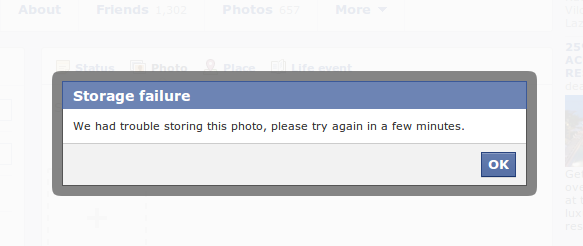
I can't believe this. Just had trouble uploading images to Facebook this day. Creating an album and uploading the images give me the following error:


Facebook album storage failure error message


Trying to post a Facebook status with photo gives me a similar storage failure message:

Facebook status with image storage failure error message


Whew!
If you've also experienced the error. This is to say you are not alone. :)

Anyway, it is Facebook so let's expect it will be fixed soon by their talented developers.

Tuesday, March 26, 2013

jQuery Selector Using Data Attribute


<div id="divId" data-more-info="data value">
    Some div content
</div>


The div element above has two attributes declared. The first one is the id attribute and the second one is the data-more-info attribute.

1. The selector by id for the div above is pretty easy:
$("#divId")

2. Now, here's a way to select the div above using the second attribute data-more-info:
$("div[data-more-info='data value']")


The second query returns all div elements with 'data value' as value for its data-more-info attribute.

Wednesday, March 13, 2013

Oracle Webcenter Portal 11g Hands On Workshop


For reference, here's an outline for a training I will be attending to in the coming days.

Day 1


  • Introduction to WebCenter
  • ADF and JDeveloper as foundation for WebCenter Portal
  • Introduction to Data-binding Data Visualization Tool (DVT) in ADF
  • Lab exercise and discussion of Partner project requirements and goals
  • Java Server Faces and ADF architecture and its components
  • Building a web-based UI using JDeveloper and ADF
  • Lab exercise


Day 2


  • Building Page template and page layout,
  • Navigation and menu UI in WC Portal
  • Content Presenter (in WebCenter Portal) to Oracle WC Content
  • Lab exercise
  • ADF Bindings and Task-flow
  • Managing page and template during development and run-time
  • Lab exercise


Day 3


  • Portlet and web-clipping
  • WebCenter Portal Security
  • Integration with back-end services/systems
  • Managing run-time/design-time changes during SDLC
  • WebCenter Development Lifecycle

Installing rpm file in Ubuntu

Simple run the following command on your terminal:

sudo alien yourFileName.rpm

Then, double-click the generatd .deb file.


If alien is not yet installed, you will need to run the following command first:

sudo apt-get install alien dpkg-dev debhelper build-essential

Where is JDeveloper Installed in Ubuntu

Just installed Oracle JDeveloper but don't know where to locate the file to launch it?


Find it at the following path:
/home/<yourUsernameHere>/Oracle/Middleware/jdeveloper/jdev/bin/

Then, run the jedv or jdev.sh script to start launching the JDeveloper application.

Thursday, July 12, 2012

Search Google using a Picture

Just found out that you can search pictures similar to a picture in Google. This is just amazing for me. Here's the search result I got after uploading a picture from my computer: Click here.

Saturday, June 23, 2012

Links with Hash Not Working on Offline Mobile Browsers

Problem: On mobile browser when opening a local file, I get a white page each time I click a link with a hash (#) on it's href attribute.

Solution: Using jQuery, I applied the following javascript code to cleanup the link's href attribute by removing the href substring starting from the hash (#) sign:
$(document).ready(function() {
Link.cleanupForMobile();
});

var Device = {
    isAndroid: function() {
        return navigator.userAgent.match(/Android/i) ? true : false;
    },
    isBlackBerry: function() {
        return navigator.userAgent.match(/BlackBerry/i) ? true : false;
    },
    isIos: function() {
        return navigator.userAgent.match(/iPhone|iPad|iPod/i) ? true : false;
    },
    isWindows: function() {
        return navigator.userAgent.match(/IEMobile/i) ? true : false;
    },
    isMobile: function() {
        return (Device.isAndroid() || Device.isBlackBerry() || Device.isIos() || Device.isWindows());
    }
};

var Link = {
cleanupForMobile: function() {
if (Device.isMobile()) {
Link._performCleanup();
}
},
_performCleanup : function() {
$("div#contentcolumn a").each(function(i, item) {
var $item = $(item);
var href= $item.attr("href");
window.console.log(href);
var hashIndex = href.indexOf("#");
if (hashIndex > -1) {
var hash = href.substr(hashIndex);
if ($(hash).length < 1) {
$item.attr("href", href.substr(0, hashIndex));
}
}
});
}
}
Note: The code above does not cover all mobile devices - only the popular ones.